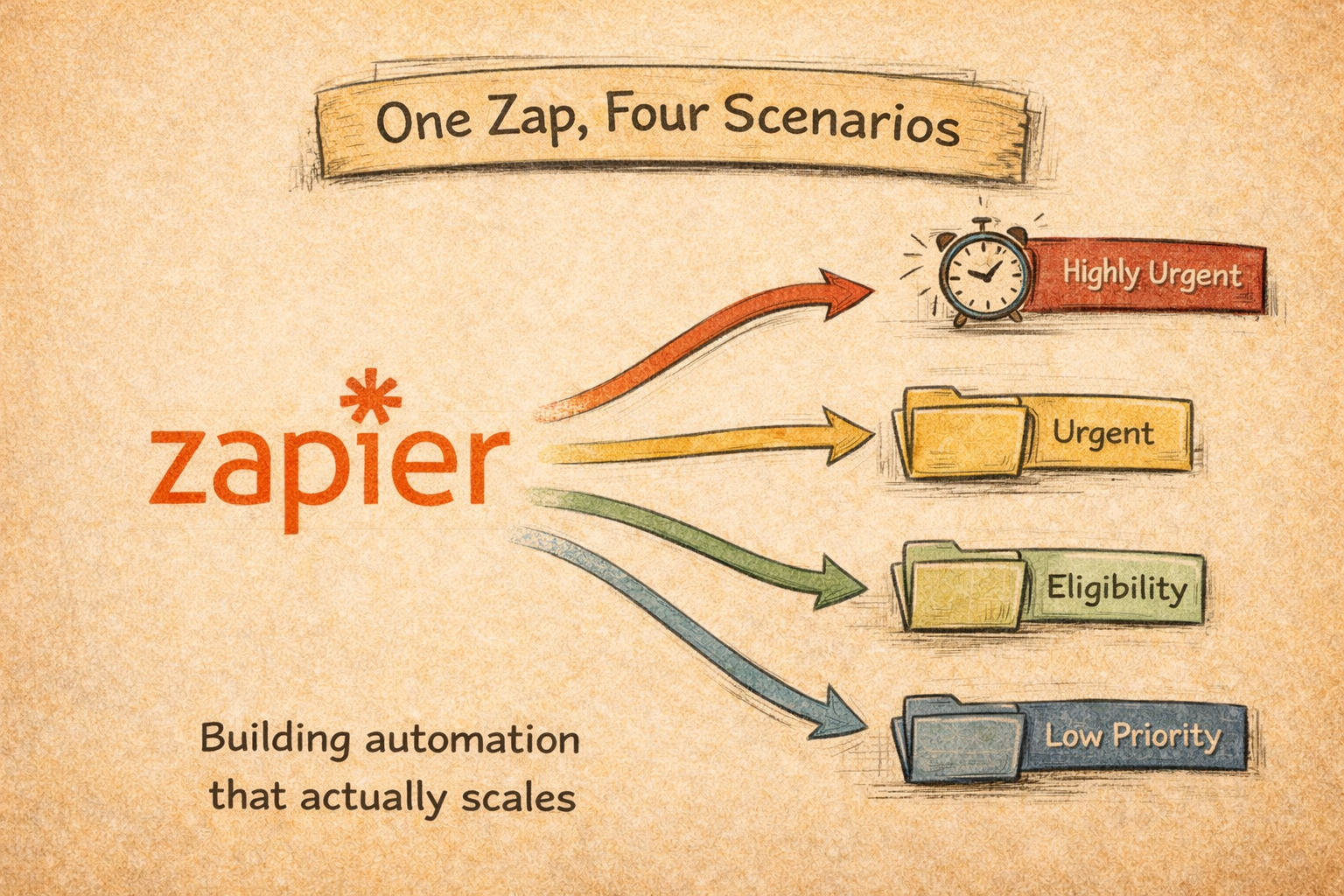
One Zap, Four Scenarios
Yes, I admit I started by building one Zap per problem. It made sense at the time: one trigger, one outcome, done. Then the problems multiplied and I had four Zaps doing roughly the same thing, breaking in the same places, wasting plan tasks, needing to be updated separately every time something changed. The natural fix was to collapse them into one.
Zapier’s Paths feature does exactly that. One trigger, four branches: each with its own conditions and actions firing based on what the lead actually looks like.
What I built
Leads came in from Facebook Lead Ads. Not all of them needed the same response because we were testing how they all react. Some were highly urgent, some urgent, some had a specific eligibility condition, and some were low priority (priority was built on a set of conditions according to what they needed, so this definition mattered for the workflow). Each path handled its own sequence: log to spreadsheet, tag in the email list, send SMS if needed, notify the right person on success or failure.
Before the split, I ran everything through Formatter by Zapier. Form data comes in dirty: inconsistent capitalization, strings where you expect numbers, unexpected spaces. Formatter standardizes it once, upstream, so every branch works with clean data. Skipping this step makes working with it harder.
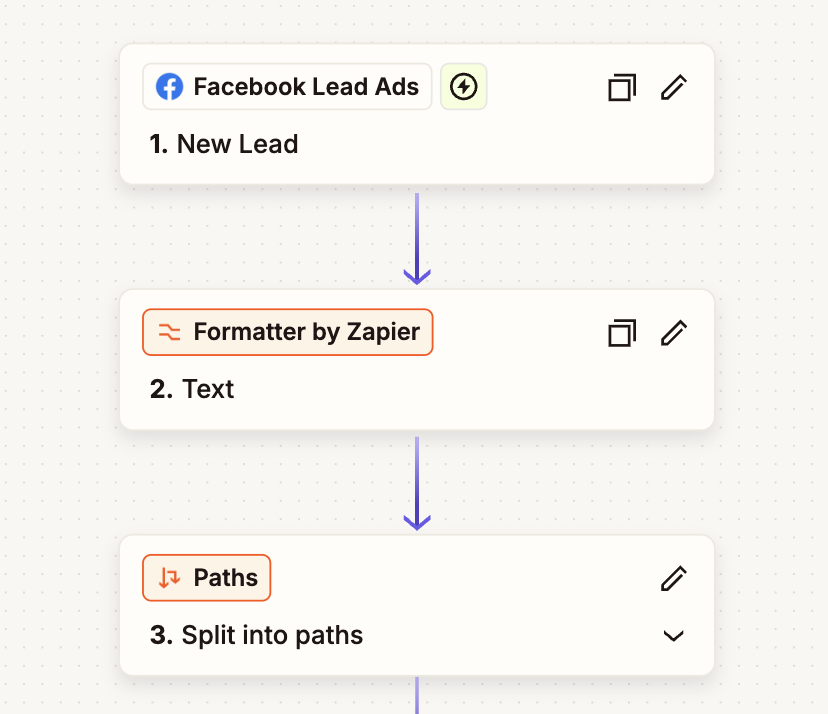
The highly urgent path added a 1-minute delay before the SMS. The low priority path skipped SMS entirely and added a filter before logging, because not every low-priority lead needed to be notified immediately at all.
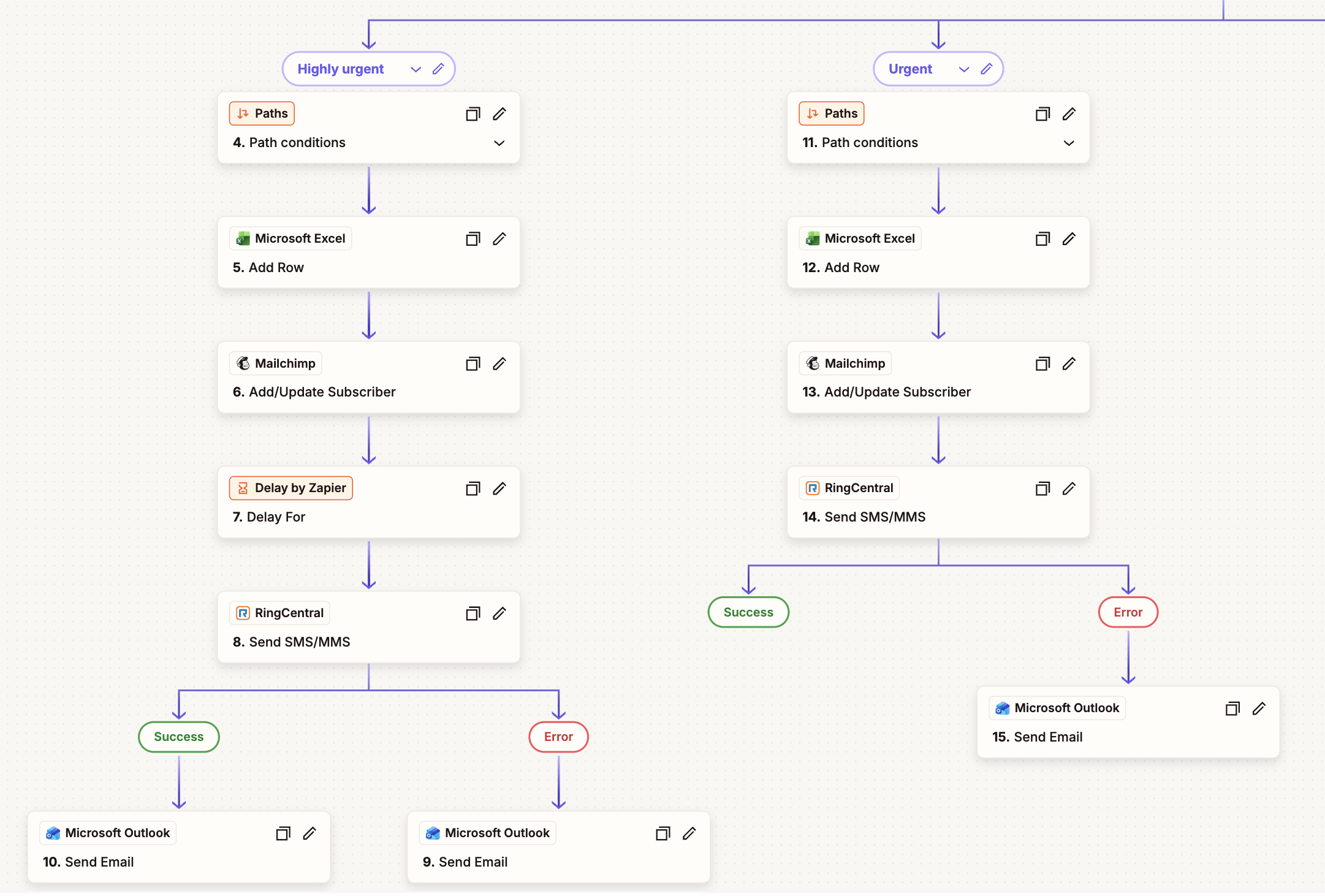
Every path that sent an SMS had two downstream branches: success and error. Both sent notifications just in case something breaks.
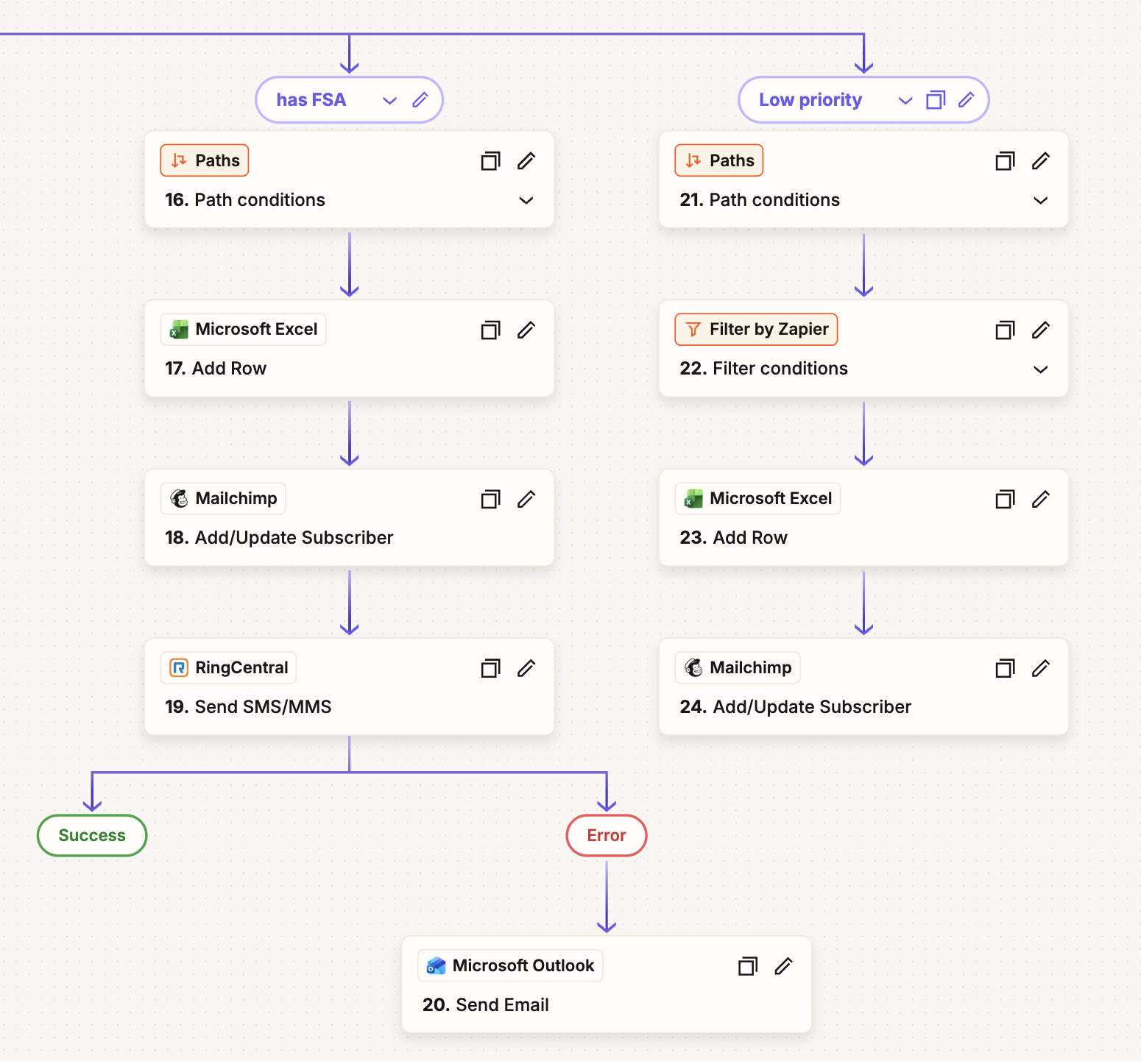
All of them included a path to an e-mail marketing software called Mailchimp to include promotional stuff every now and then which was also automated (similar to Zapier).
The 95% reduction part
We had more than 1500 leads in the system, we could’ve reviewed them all one by one, but it was too much work, therefore the automation. Reviewing one by one could’ve taken a lot of hours, but with this automation in place we focused on the ones that actually mattered and followed up accordingly. I think it was more than 95% of the work, to be fair. The rest was just supervision and maintenance.
Best practices to avoid confusion later
Name paths clearly from the start. Test with real messy data, not clean test inputs. And resist the urge to add unrelated processes to the same Zap just because they share a trigger, that’s how maintainable workflows become unmaintainable ones.
Tools used: Zapier (Paths, Formatter, Filter, Delay), Facebook Lead Ads, RingCentral, Mailchimp, Microsoft Excel, Microsoft Outlook.
Beyond Zapier on non-code AI tools
Automation on these kind of platforms is very straightforward, we just need to apply some thinking before doing something. Conditional workflows are the required, essential and fundamental standards for any industry, there is no workaround this: it’s a non-negotiable, quasi-soft-skill. Propositional and first order logic can also boost automation strategies.
Zapier, Make.com, n8n, power automate… all these low-code (or no-code) tools are based on this fundamental standard I have described, and working with it is beyond these platforms. Automation on Python is slightly similar using if/else and for statements and even libraries like “liteflow” to define steps that execute conditionally are the basis of automation.
Once this is covered and understood, 90% of problems are solved.